 DeckBridge
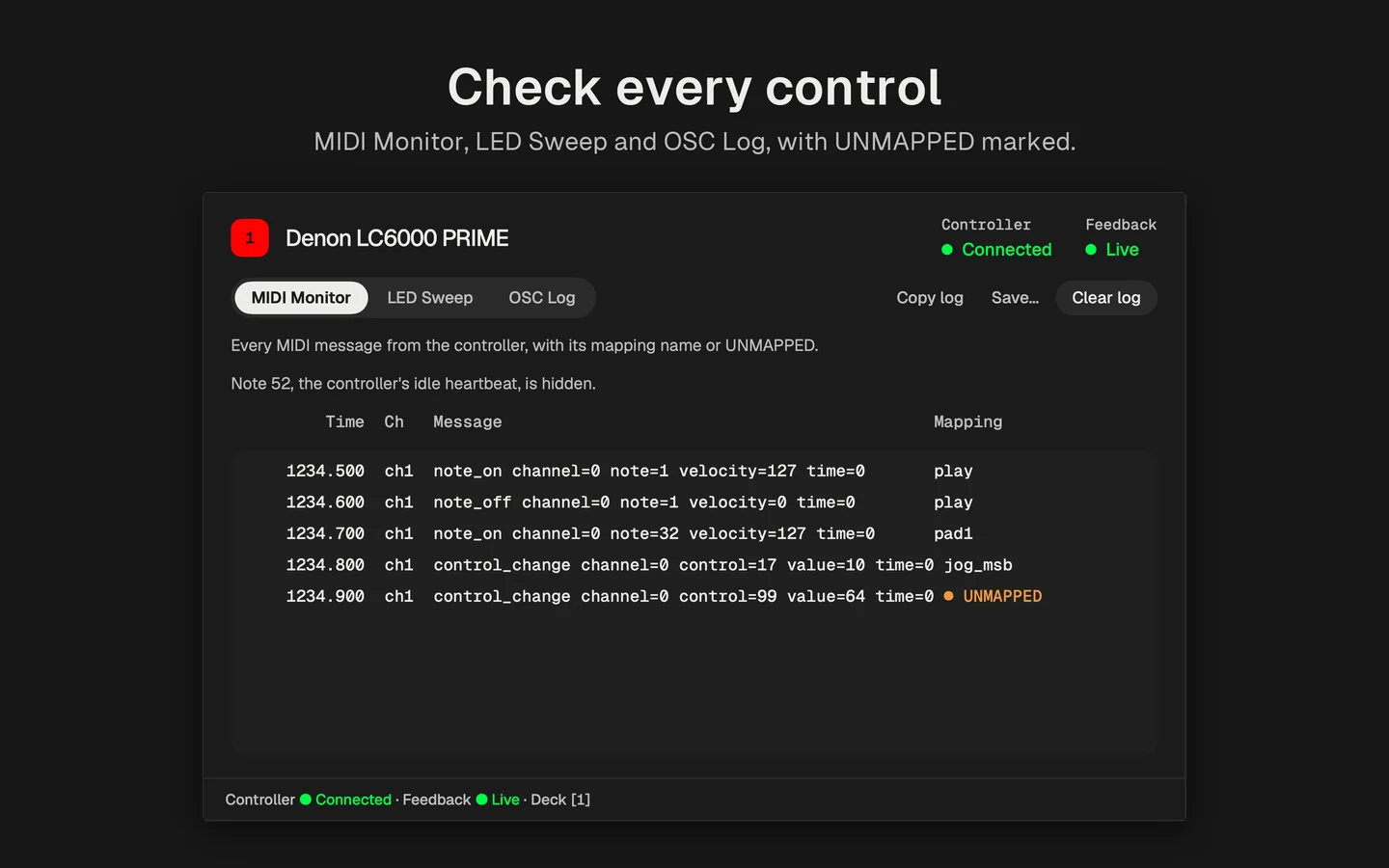
Diagnostics checks every LC6000 control
A MIDI monitor, an LED sweep and an OSC log show what goes in and comes out, with unmapped messages marked.
Version 1.0.1 on TestFlightMac App Store coming soon
A menu-bar app that plays Syndicate from a Denon LC6000 PRIME over OSC, with 14‑bit jog and pitch.
Turn OSC input on, point feedback at port 9096, tick the subscriptions and switch the LC6000’s MIDI input off. DeckBridge opens this guide on first launch and says when Syndicate answers.
Read the setup steps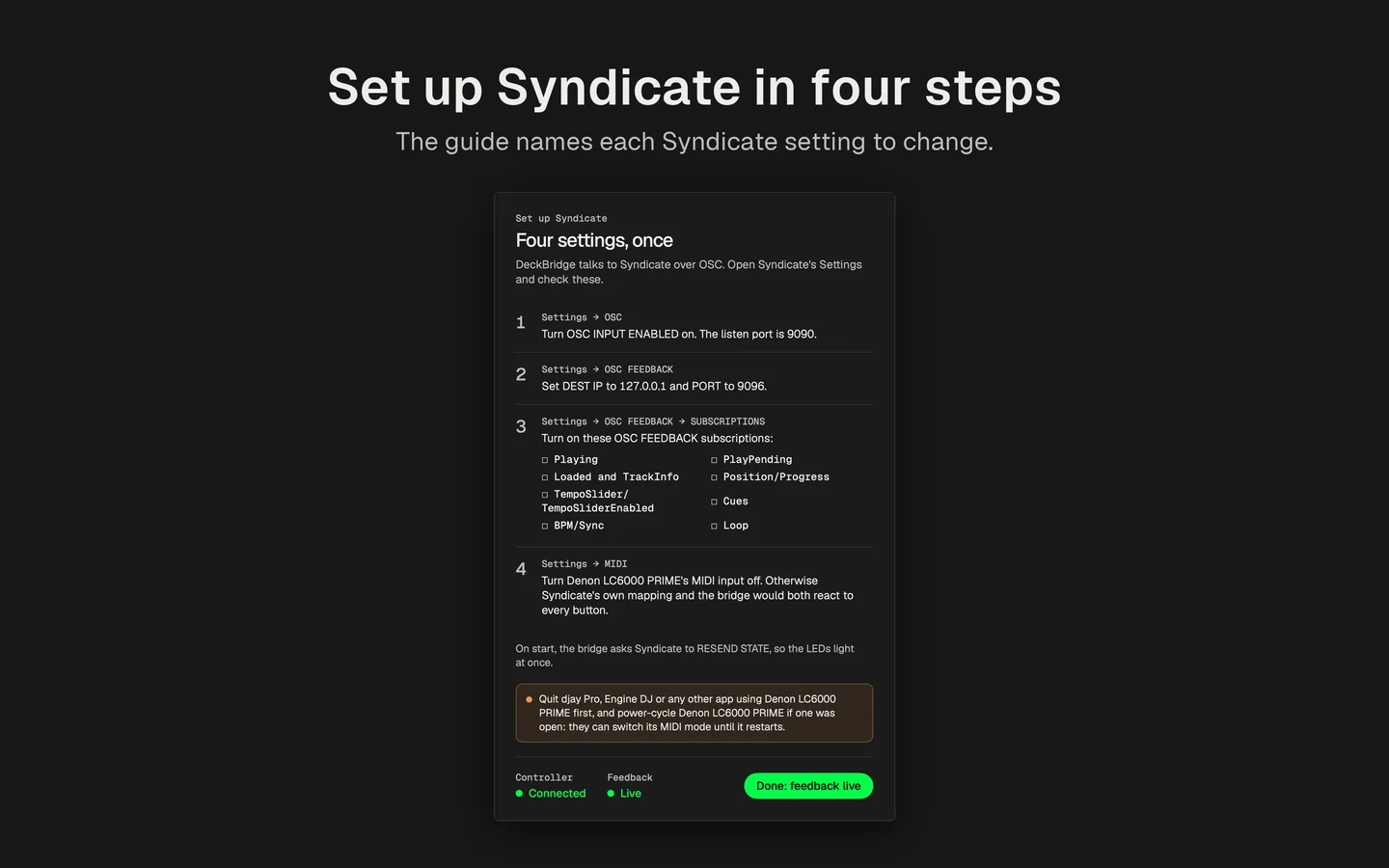
Why DeckBridge
Syndicate’s own MIDI mapping (0.3.7) can’t read the LC6000’s 14‑bit jog wheel or pitch fader, and it lights only the DDJ-FLX4 and FLX10. DeckBridge sends both at full resolution and lights the LC6000 from Syndicate’s feedback.
DeckBridge reads the controller’s USB MIDI, sends it to Syndicate’s OSC input on port 9090 and lights the LC6000 from Syndicate’s feedback on port 9096.
A MIDI monitor, an LED sweep and an OSC log show what goes in and comes out, with unmapped messages marked.
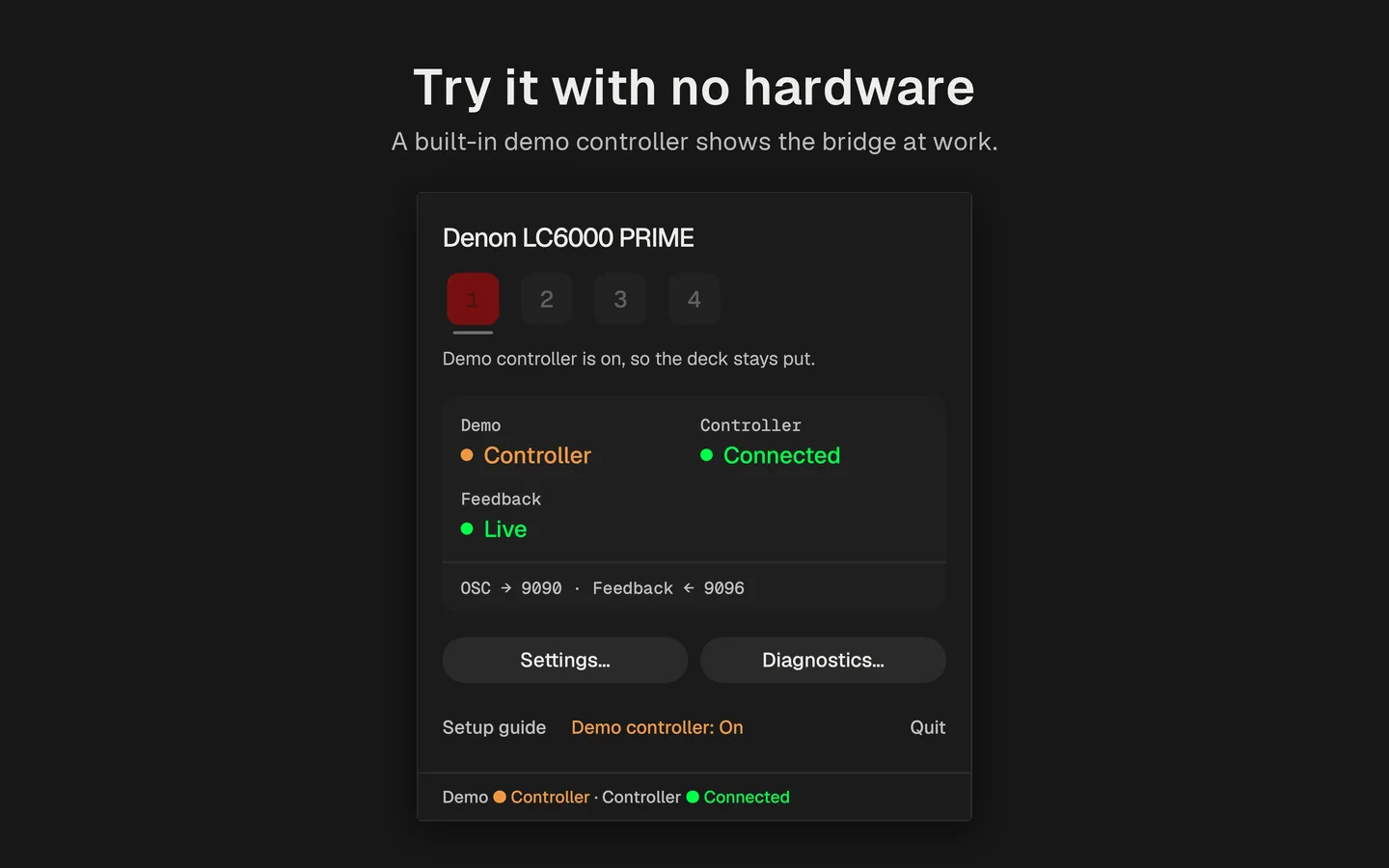
The demo controller plays a script against a simulated Syndicate, so you can watch DeckBridge work before you plug in.
Coming in v1.1
DeckBridge will show art on the LC6000’s jog-wheel display in real time, right under your hand.
What DeckBridge needs
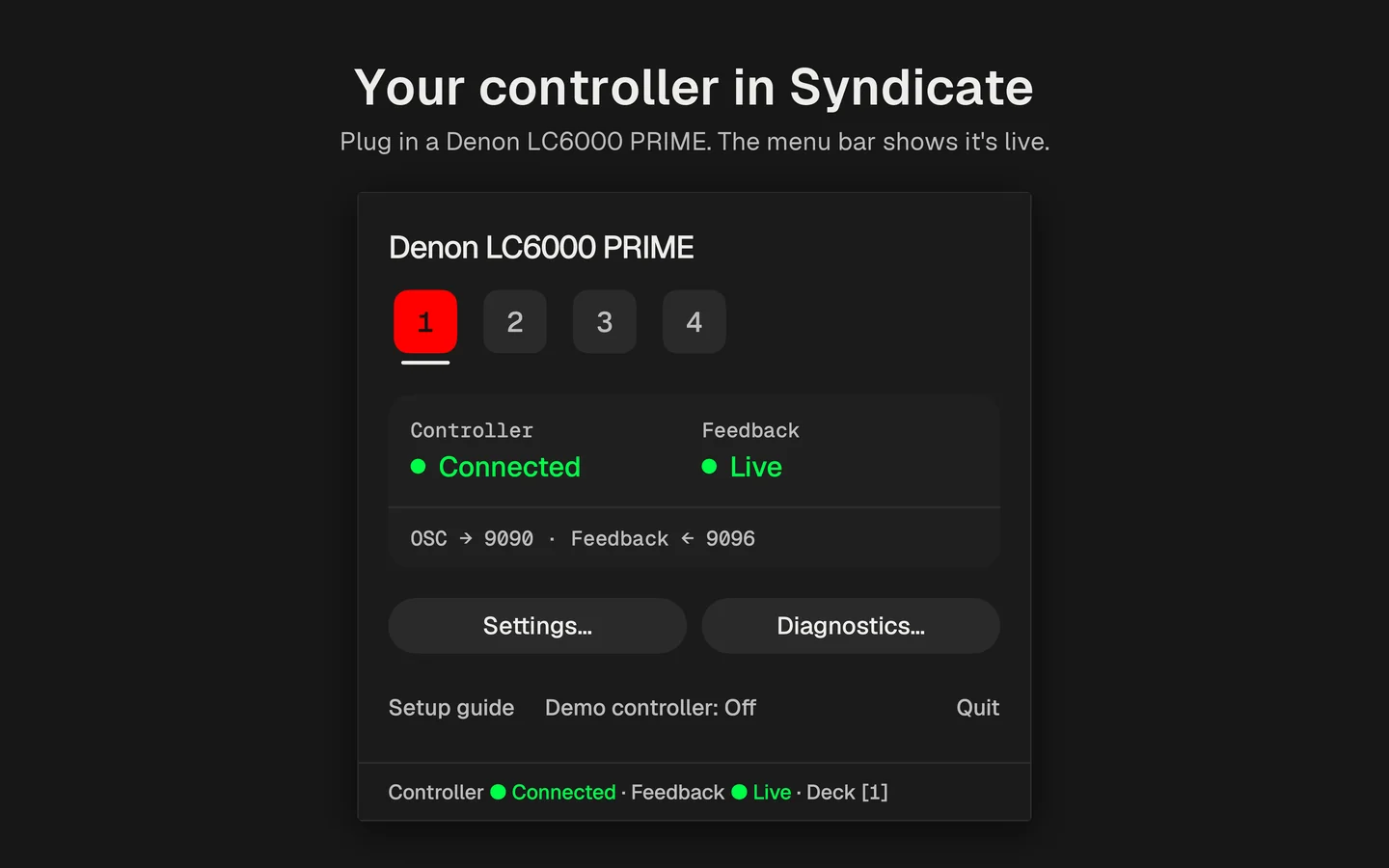
DeckBridge is a native Mac menu-bar app that lets you play Syndicate from a Denon LC6000 PRIME by bridging the controller’s MIDI to Syndicate OSC. It sends the 14-bit jog wheel and pitch fader to Syndicate at full resolution and lights the controller’s LEDs from Syndicate’s OSC feedback.
DeckBridge supports one controller today, the Denon LC6000 PRIME, connected over USB. A single LC6000 drives all four Syndicate decks through its own deck layers.
DeckBridge needs macOS 26 or later, Syndicate with OSC input enabled, and a Denon LC6000 PRIME connected over USB. It runs in the menu bar with no Dock icon.
Pricing for DeckBridge hasn’t been announced yet. Version 1.0.1 is in beta on TestFlight now, and the Mac App Store version is coming soon.
To set up DeckBridge, you change four settings in Syndicate once: turn on OSC input (port 9090), point OSC feedback at 127.0.0.1 port 9096, turn on the listed feedback subscriptions, and turn the LC6000’s MIDI input off in Syndicate. DeckBridge opens a setup guide with these steps on first launch, and it shows “Done: feedback live” once Syndicate answers.
No, DeckBridge works with Syndicate only and doesn’t need djay Pro or Engine DJ to run the LC6000. Quit those apps or any other app using the LC6000 first, and power-cycle the controller if one was open, because they can switch its MIDI mode until it restarts.
No, DeckBridge is an independent app, not made by, affiliated with or endorsed by Untitled Audio (the makers of Syndicate) or Denon DJ. It works with Syndicate through Syndicate’s OSC API.
No, DeckBridge collects no data: no account, no tracking, no analytics. It only sends Syndicate OSC messages to Syndicate and listens for its feedback, on this Mac by default or on your local network if you choose that.
Yes, DeckBridge’s demo controller runs a scripted controller against a simulated Syndicate, so you can see it work without an LC6000. Nothing goes to the network, and demo mode is off again at the next launch.
Yes, DeckBridge can drive a second LC6000 on another Syndicate deck, and it can reach Syndicate running on another Mac over your local network. Add the second unit under Settings › Add controller; both share Syndicate’s one feedback stream. For another Mac, set Syndicate’s host to that Mac’s IP address and set feedback to listen on All networks. macOS asks once for local-network permission.
DeckBridge 1.0.1 is available now as a beta on TestFlight, and it’s coming soon to the Mac App Store. Email deckbridge@ericdahl.dev to join the beta.
Coming in v1.1, DeckBridge will show art on the LC6000’s jog-wheel display in real time. Version 1.0.1 is in beta on TestFlight now, so this LC6000 Syndicate setup keeps growing from there.